FOR MIRICANVAS CREATORS
Your artwork. Ready for its next design.
Turn your images into editable SVG assets for MiriCanvas. Preview the result, make it your own, then prepare a file for DesignHub.
or try by clicking an image
Free, unlimited vectorizing and protected previews.
1 credit unlocks a finished result. Repeat downloads are free.
Try a saved conversion. Samples do not use credits.
REAL ARTWORK, EDITABLE SHAPES
See what an image can become.
These are saved PerfectVector conversions, not approved DesignHub submissions. Inspect the shapes and colors, then try a sample in the editor.
REAL ARTWORK, EDITABLE SHAPES
A closer look at your future asset.

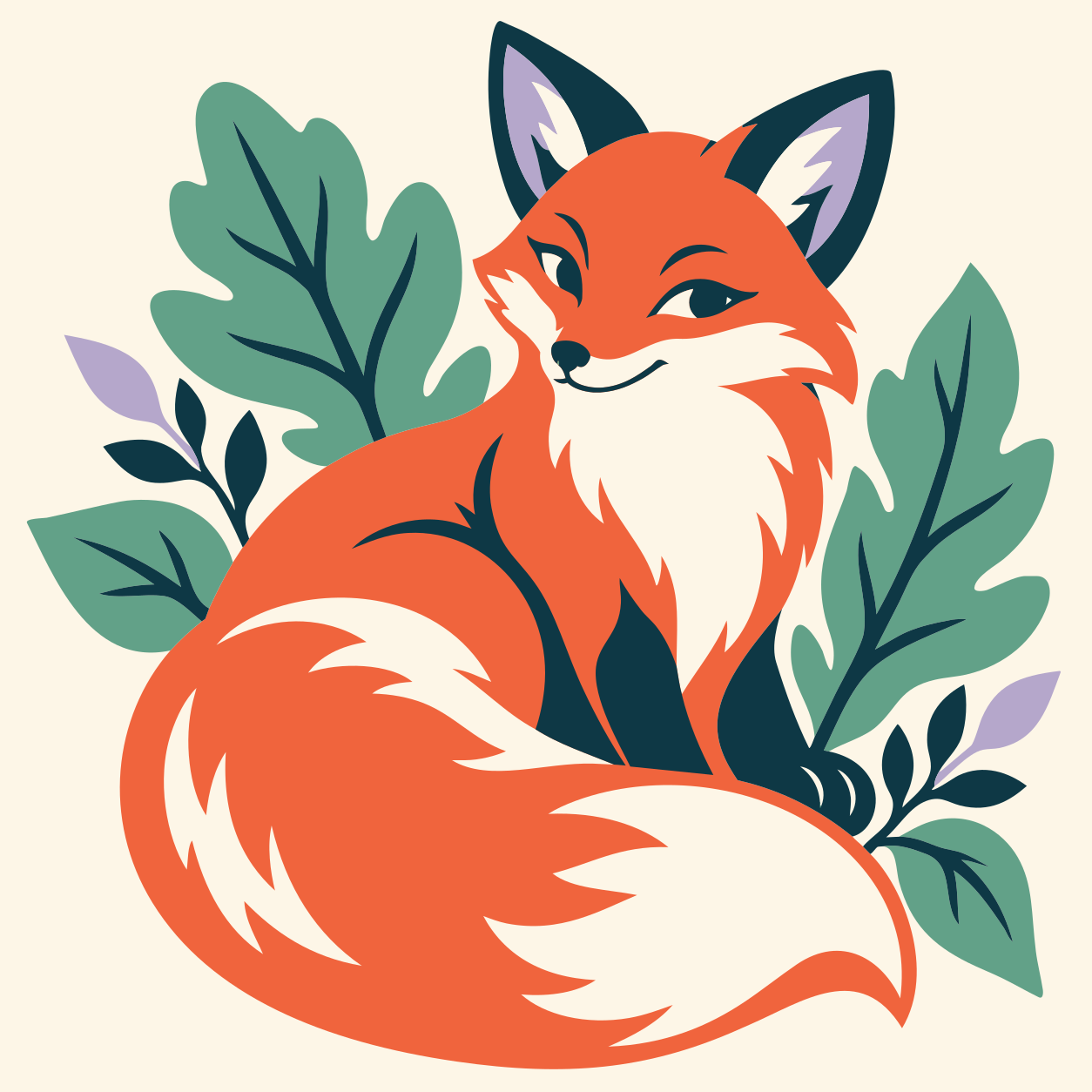
Each color comes from this saved SVG. The PNG inspection preview is shown at a lower resolution; the sample editor uses the original conversion source.
- Paths
- 44
- Fill colors
- 5
The colors in this SVG
- #FDF6E7
- #F0643D
- #0E3845
- #62A188
- #B5A7CB
FROM IMAGE TO SVG
Preview first. Decide when it is worth keeping.
- 01
Add your image
Start with your own PNG, JPG or another supported image. Clear shapes and distinct colors make a useful starting point.
- 02
Check the free preview
Inspect the protected result before spending a credit. Unlock the finished result when you want to edit and download it.
- 03
Prepare and download
Use the MiriCanvas workspace to clean up, review your palette and fit the frame. Export preparation runs on your latest edits.
YOUR MIRICANVAS WORKSPACE
A little guidance. All your editing tools.
Start with the highlighted step. If there is no removable background or the palette is already small, the guide moves ahead. Every step can still be opened.
1. Keep the parts you want
Remove a detected background shape, or remove its color throughout the artwork. Both are optional edits, with Undo.
2. Make the colors work together
Edit individual colors or try a smaller palette. Plan which colors to lock later in DesignHub.
3. Give the artwork a clear frame
Fit the canvas, see the exported dimensions and inspect the prepared SVG before downloading.
Shape editing, crop, color tools and other export formats remain available.

HANDLED AT DOWNLOAD
File preparation, without another checklist of buttons.
We try the technical steps on a separate export copy. Your editable artwork stays intact.
- Convert even-odd fills while preserving holes.
- Prepare supported vector shapes and explicit dimensions.
- Try size-reducing optimization and review the output.
If an optional step fails, it is skipped. You can still download the current valid SVG, with a review notice. A prepared file is not a guarantee of DesignHub acceptance.
Start with artwork that is easy to reuse.
A useful starting point
Flat illustrations, icons, bold lettering and clear areas of solid color.
Expect more cleanup
Photos, soft shading, watercolor and tiny textures can produce many shapes. Inspect the preview before unlocking.
BEFORE YOU SUBMIT
A few decisions stay with you.
Check your rights to the artwork, light details and transparent gaps. Set editable colors and locks in DesignHub, then review the imported result.
We check against a 150 KB file target and a maximum dimension of 6,000 px. A file can still need simplification or manual changes.
Read the official SVG guideGood to know before you start.
How is this different from the free MiriCanvas SVG optimizer?
This page converts a raster image into vectors and opens a guided editor after unlock. The free SVG optimizer starts with an SVG you already own and processes supported vector artwork in your browser. It does not require a credit.
When do I use a credit?
Vectorizing and protected previews are free and unlimited. One credit unlocks a finished result for editing and download. Downloading that unlocked result again is free; previewing a sample does not spend a credit.
Will it change my colors or remove the background automatically?
No. The guide suggests a starting step, but you choose the artistic edits. Background removal, color simplification and canvas fitting remain optional. The regular editor tools and Undo remain available.
What happens if an optimization step fails?
We keep a valid SVG available and skip the failed optional step. Review notices explain when the file needs another look. You can download the current SVG; it may still need changes before submitting to DesignHub.
Does the download guarantee approval by MiriCanvas?
No. This is an independent preparation tool. MiriCanvas decides approval. Rights, content quality, color locks and the imported appearance still need your review.
Where is my image processed?
Your image is uploaded to PerfectVector for vectorization. Editing and MiriCanvas export preparation then run in your browser. This is different from the SVG-only optimizer, which processes its input locally.
START WITH YOUR OWN ARTWORK
Make your next reusable SVG.
Upload an image, inspect the preview and take it from there.
Upload an imageFree, unlimited vectorizing and protected previews.
1 credit unlocks a finished result. Repeat downloads are free.
PerfectVector is independent and is not affiliated with or endorsed by MiriCanvas or DesignHub.