Broad shapes keep the result easy to inspect.
The dove, olive branch, leaves, and outline use large separated regions. The silhouette stays complete inside the frame, and the path count remains small enough to understand at a glance.

or try by clicking an image
SATURDAY EVENING
The lesson is ready, but the slide, activity sheet, bulletin, and take-home page still need artwork. The only file on hand is a flattened PNG. Rebuilding the same scene in every layout turns a small handoff into the rest of the evening.
Inspect real conversions
Current children's-ministry resources include combinations of presentation slides, activity pages, leader materials, and take-home pages. Microsoft also documents SVG support in Word and PowerPoint, while W3C describes SVG as resolution-independent graphics.
These sources establish common material types and SVG behavior. They do not test, evaluate, or endorse PerfectVector.
REAL PERFECTVECTOR CONVERSIONS
The dove, olive branch, leaves, and outline use large separated regions. The silhouette stays complete inside the frame, and the path count remains small enough to understand at a glance.

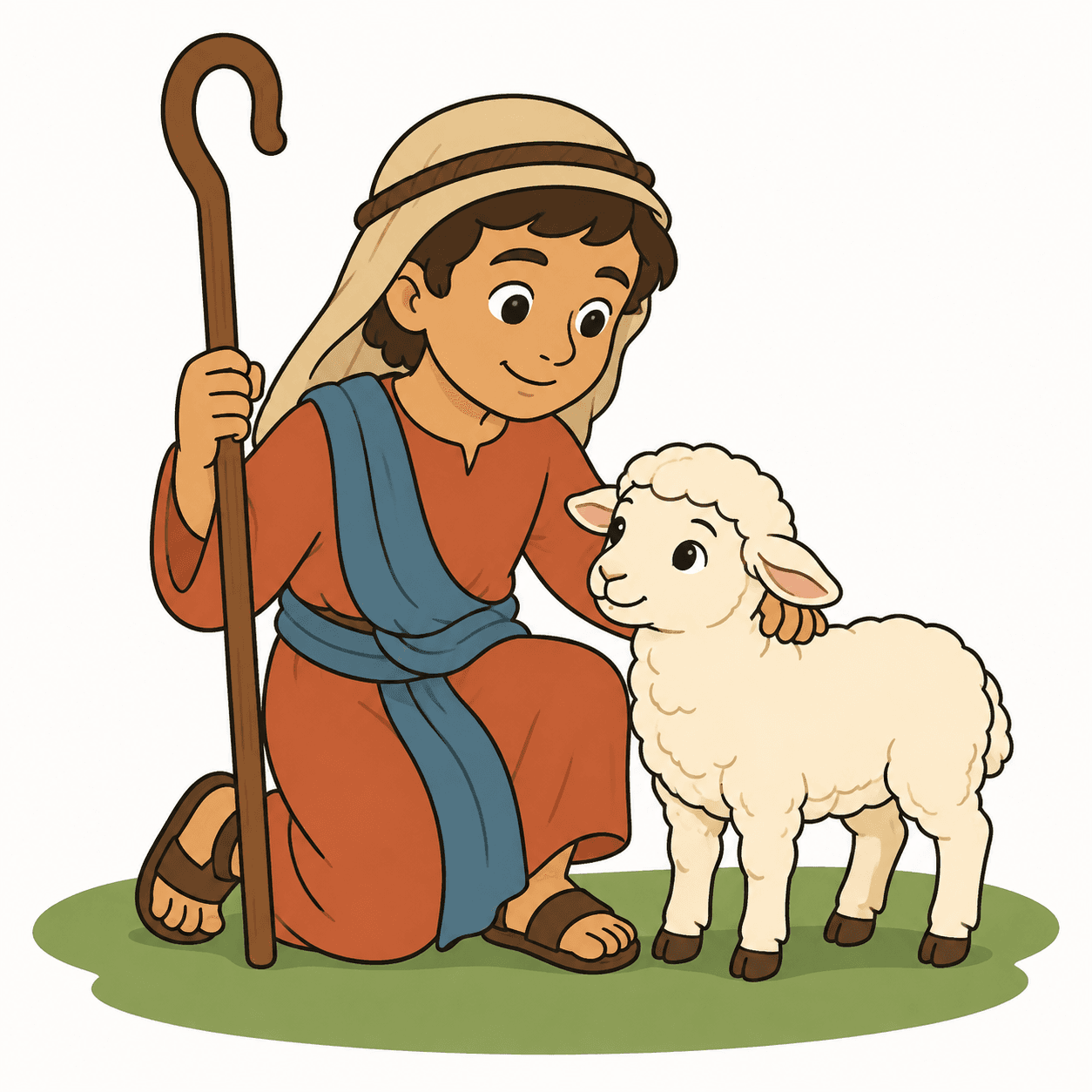
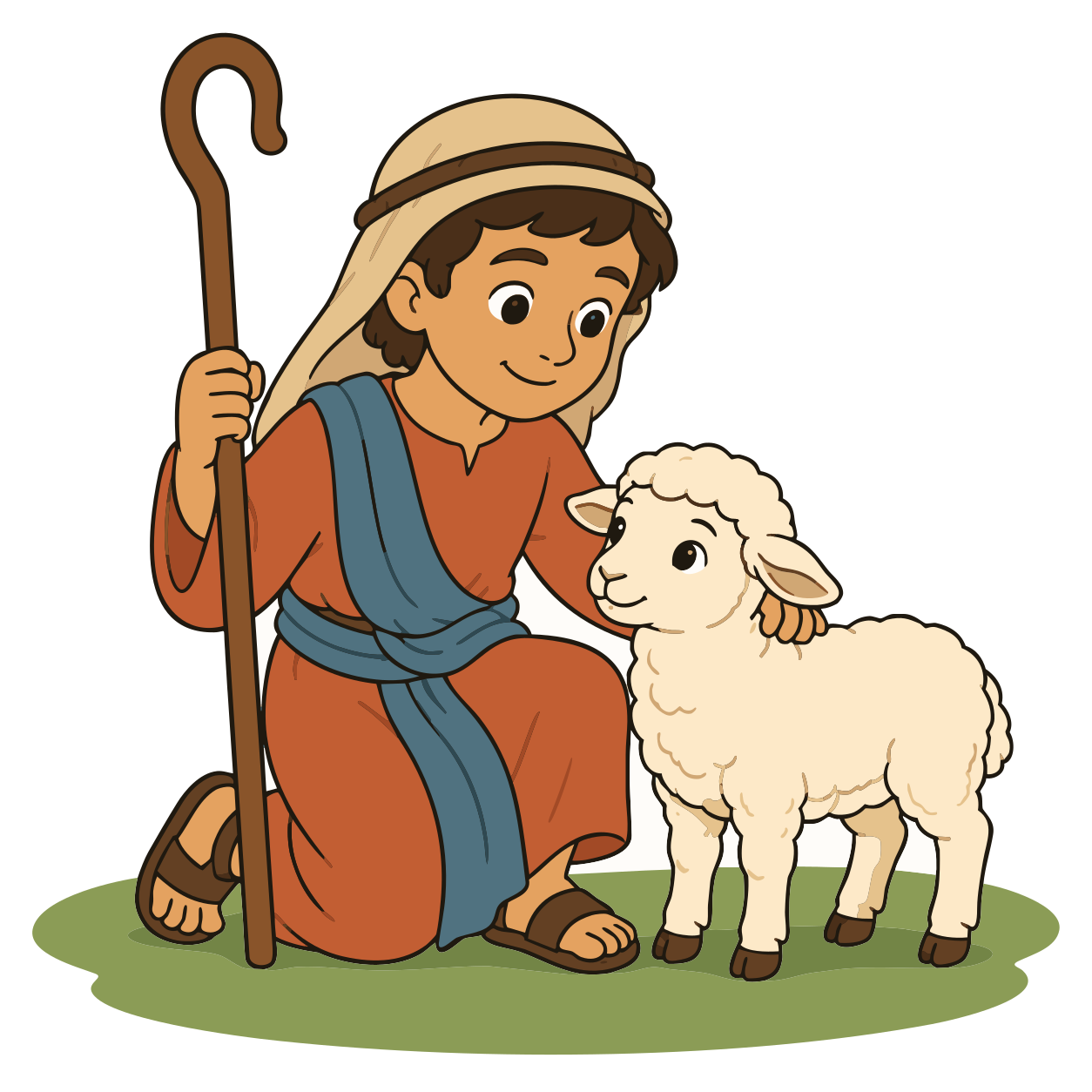
The shepherd, lamb, staff, clothing, faces, and wool remain visible at useful sizes. Fine accents and soft color changes produce a larger path set, so close preview inspection matters.

These pairs show the exact source framing and path-based production SVGs. They do not promise recovered semantic layers, theological interpretation, automatic lesson design, or the same structural complexity for every image. Source size, contours, shading, compression, and intended use all matter. For display, we removed only the verified plain-background shape from each downloaded SVG; no artwork path was manually repaired.
The research team continuously advancing PerfectVector's in-house vectorization engine
PerfectVector is developed in-house by Rastrix Inc. Its researchers bring 10+ years of combined research and industry experience in deep learning and computer vision.
Our researchers hold every vector to a high standard. They design new methods, review results, and continuously improve how PerfectVector reconstructs shapes, edges, colors, and fine detail.
ONE LESSON, SEVERAL ROOMS
Scale the complete illustration inside a wide title or story slide.
Place the same artwork above questions, prompts, or response space.
Reuse the reviewed scene in a compact lesson announcement.
Carry the lesson image into a family recap or follow-up page.
The four mock layouts intentionally repeat the same complete SVG. They demonstrate placement and scaling, not automatic object separation or finished lesson design.
Artwork and teaching content change for different reasons. The SVG can carry the reviewed visible illustration, while your layout file keeps every word easy to revise.
Review the path-based art in a vector editor when needed, then place the complete illustration into each lesson material.
Keep teaching content editable in the slide, document, or design file. That is where wording, age level, translation, and final layout still belong.
PerfectVector does not write lessons, verify quotations, check theological accuracy, or prepare final print and presentation files. Review those parts in the ministry's normal editorial workflow.
The protected preview lets you inspect the actual conversion before you unlock a file. Use it to judge whether the visible result suits the material you are preparing.
Large symbols, simple Bible story scenes, separated color regions, and generous facial details are straightforward to compare.
Small highlights, fuzzy boundaries, and tonal changes can create extra paths or fragments even when the overall render looks close.
When brush grain, translucent washes, or continuous tone carries the image, a sufficiently large raster source is usually more faithful.
Do not bake changing lesson text into the illustration. Keep quotations, questions, translations, and room details editable in the layout.
Conversion does not grant permission to adapt, share, redistribute, or publish artwork. Follow the source owner's current license.
PerfectVector reconstructs visible pixels as paths. It cannot restore original layers, hidden objects, font files, meaning, or details that are absent from the source.
Start with the largest PNG, JPG, or WebP you own or have permission to adapt. Flat colors, clear outlines, large faces, and simple backgrounds are easier to inspect than small screenshots or textured paintings.
Check faces, hands, animal features, narrow gaps, and color boundaries. Look for fragments around compressed edges or soft shading before you decide to unlock the SVG.
Reuse the reviewed SVG in your slide, worksheet, bulletin, or take-home design. Keep lesson text and final layout settings live in PowerPoint, Word, Canva, or the production tool your ministry uses.
I'd tried everything and been let down every time — I'd given up, figuring today's tech just couldn't do this. And you actually built it. If this is real, it's genuinely incredible.
It converts at even better quality than I expected — it preserves the character of the original better than anything else I've tried.
PerfectVector is impressively fast, and the output quality is already very good. With a bit more refinement it could easily compete with the leading tools.
Way more detailed than I expected. Opening Illustrator to convert every single time was such a chore — bookmarked.
Tried it — it's accurate. Simple images actually expose detail differences more than complex ones do, and this nails them.
Vectorizing and preview are always free and unlimited — you only spend a credit when you download a finished file.
Try it out, casual use
5 credits when you sign up. Expires in 30 days.
No credit card required
For regular design work
100 credits a month · about $0.12 per download
For power users & studios
500 credits a month · about $0.05 per download
Need just a few more? Buy 10 credits for $5. · one-time · Never expires
1 credit = 1 download. Re-downloading a file you already saved is always free. Cancel anytime.
Upload the clearest lesson artwork you are allowed to adapt, inspect the real SVG preview, and unlock it only when the visible result fits the materials you need to prepare.
Vectorize and previewVectorizing and protected preview are free and unlimited. Unlock one finished download with one credit, then download that unlocked result again without another charge.