PerfectVector MCP
Your SVG asset generator, inside your AI assistant
Ask in plain words. Your assistant brings the images, ones it made or ones you attached, and PerfectVector turns every one into a clean SVG file. A whole set in one conversation.
- Connecting is free
- No API key, sign in with Google
- From $0.20 per SVG
- Nothing is charged before you say yes






- Make 6 stickers for my coffee shop, Moonbean Coffee. Then turn them all into SVG with PerfectVector.
- Image generation: 6 images
- Six coffee-shop stickers: a moon hugging a coffee bean, a mug, a bag of beans, a pour-over kettle, a croissant and a Moonbean badge. Six coffee-shop stickers: a moon hugging a coffee bean, a mug, a bag of beans, a pour-over kettle, a croissant and a Moonbean badge. Six coffee-shop stickers: a moon hugging a coffee bean, a mug, a bag of beans, a pour-over kettle, a croissant and a Moonbean badge. Six coffee-shop stickers: a moon hugging a coffee bean, a mug, a bag of beans, a pour-over kettle, a croissant and a Moonbean badge. Six coffee-shop stickers: a moon hugging a coffee bean, a mug, a bag of beans, a pour-over kettle, a croissant and a Moonbean badge. Six coffee-shop stickers: a moon hugging a coffee bean, a mug, a bag of beans, a pour-over kettle, a croissant and a Moonbean badge.
- PerfectVector · Price check: 6 images
- Converting all six costs 6 credits. You have 120 credits. Nothing has been charged yet. Yes, always Cancel
- Yes, always.
- PerfectVector · Convert to SVG: 6 images
- moon.svg, mug.svg, beans.svg, kettle.svg, croissant.svg, badge.svg. 6 SVGs ready · 6 credits used
- All six are ready to download. Each link works for 24 hours.
Made for how you work
Built for people who need SVGs by the dozen
A whole clipart set from one chat
For Etsy, Canva and Adobe Stock sellers. Describe a theme, let your AI agent make the set, and PerfectVector turns every piece into an SVG you can list.
- A dozen files in one conversation, no uploading one by one
- Real vector paths, not pictures saved as .svg
- Pay only for the SVGs you get. Failed conversions are free




- Make six botanical clipart pieces for my Etsy shop, in soft sage and blush. Convert each one to SVG.
- Image generation: 6 images
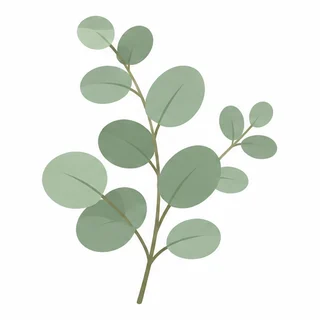
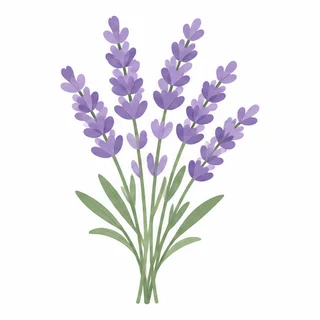
- Six botanical clipart pieces: monstera leaf, eucalyptus, lavender, lemon branch, peony and fern. Six botanical clipart pieces: monstera leaf, eucalyptus, lavender, lemon branch, peony and fern. Six botanical clipart pieces: monstera leaf, eucalyptus, lavender, lemon branch, peony and fern. Six botanical clipart pieces: monstera leaf, eucalyptus, lavender, lemon branch, peony and fern. Six botanical clipart pieces: monstera leaf, eucalyptus, lavender, lemon branch, peony and fern. Six botanical clipart pieces: monstera leaf, eucalyptus, lavender, lemon branch, peony and fern.
- PerfectVector · Convert to SVG: 6 images
- botanical-monstera.svg, botanical-eucalyptus.svg, botanical-lavender.svg, botanical-lemon.svg, botanical-peony.svg, botanical-fern.svg. 6 SVGs ready · 6 credits used
- Your set is ready to list: monstera, eucalyptus, lavender, lemon, peony and fern.
Every view of your character, in vector
Front, side and back views become separate, editable SVG files. Redrawing each view by hand can take hours; here each one takes seconds.
- One file per view, ready for animation or print
- Your art, traced as it is: no redrawing, no drift between views
- You see the price before anything is charged
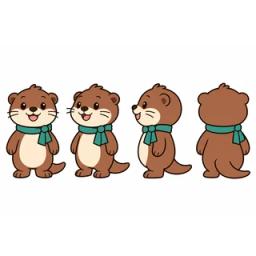




- Here's my otter mascot sheet. Split the four views and convert each one to SVG.
- Crop image: 4 images
- The otter mascot from the front, three-quarter, side and back. The otter mascot from the front, three-quarter, side and back. The otter mascot from the front, three-quarter, side and back. The otter mascot from the front, three-quarter, side and back.
- PerfectVector · Price check: 4 images
- That's 4 credits. You have 36. Convert all four views? Yes Cancel
- Yes.
- PerfectVector · Convert to SVG: 4 images
- otter-front.svg, otter-three-quarter.svg, otter-side.svg, otter-back.svg. 4 SVGs, one per view · 4 credits used
Folder in, SVGs out
In Claude Code or Codex, point your agent at a folder. It uploads each image, converts it, and saves the SVG next to the original.
- Works with local files, no manual uploads
- Say “Yes, always” once and the batch runs without questions
- Building a product? The Developer API does the same from your own code
- Convert every PNG in ./assets/icons to SVG with PerfectVector and save each one next to the original.
- Read folder: ./assets/icons · 8 PNG files
- PerfectVector · Convert to SVG: 8 files
- cart.svg, search.svg, user.svg, bell.svg, home.svg, heart.svg, settings.svg, mail.svg. 8 SVGs saved to ./assets/icons · 8 credits used
- Done. Run it again whenever new icons land.
Why not just ask for SVG code?
Same request. A very different SVG.
- Time
- 0:42
- Cost
- ~17,280tokens
Shapes are guessed, so a detailed character comes out simple.
- Time
- 0:04
- Cost
- 1credit
Every buckle, pattern and strand, traced as a vector path.
Your agent makes the image. PerfectVector makes it SVG.
Connect your assistantWhy PerfectVector MCP
Your account, your credits, your assistant
One account everywhere
The same account and credits as the website. 1 credit per delivered SVG, and failed conversions are free.
You approve every charge
A free price check always comes first. Your answer is saved to your account, and "ask me every time" turns the question back on.
No keys to manage
Sign in with Google and you're connected. Disconnect any assistant at once from your account page.
Your images stay yours
Never used to train AI models and never sold. Images and results are deleted automatically about 30 days after upload.
Works where you already work
Set it up in your assistant
Connect with the Google account you use on PerfectVector. If you're new, signing in creates your account.
- Select Add to Claude. The name and server URL are filled in for you.
- Select Add, then Continue with Google on the PerfectVector sign-in page.
- In a chat, turn on PerfectVector from the tools menu.
On Claude Team or Enterprise, an Owner adds PerfectVector for the organization first.
https://- Open Plugins, select Add, then Add custom MCP server.
- Enter the name PerfectVector and the server URL below. Keep authentication on OAuth.
- Install the plugin and sign in with Google. Then type @PerfectVector in a new chat.
Custom MCP servers depend on your ChatGPT plan: OpenAI supports them on Business, Enterprise and Edu.
https://- Run this command in your terminal:
- Type /mcp, choose perfectvector and select Authenticate.
- Sign in with Google, then return to Claude Code.
claude mcp add --transport http perfectvector https://mcp.perfectvector.com/mcp- Run this command in your terminal:
- Your browser opens the PerfectVector sign-in page. Select Continue with Google.
- When the terminal says you're logged in, ask Codex to convert an image.
codex mcp add perfectvector --url https://mcp.perfectvector.com/mcpAnother assistant? Clients that support remote MCP servers may work with the server URL (Streamable HTTP, OAuth sign-in).
Adding a custom connector depends on your plan: see ChatGPT's and Claude's help pages.
Try these
Prompts to start with
Make a set, then convert
Make 8 flat icons for a bakery website, then convert each one to SVG with PerfectVector.
Claude Code or Codex
Convert every PNG in ./assets to SVG with PerfectVector and save each one next to the original.
Convert an attached image
Use PerfectVector to convert this image to SVG.
Convert, then keep building
Use PerfectVector to vectorize this logo, then build an animated HTML version of it.
Ask before converting
Would this image make a good SVG? Explain any likely limitations, but don't convert it yet.
Check your credits
How many PerfectVector credits do I have?
MCP questions
What is MCP?
MCP (Model Context Protocol) is the open standard that lets an AI assistant use outside services. PerfectVector MCP is the server that lets your assistant turn images into SVG files.
Which assistants work?
Claude, ChatGPT, Claude Code and Codex are verified. Adding a custom connector depends on your plan, so check ChatGPT's and Claude's help pages. Other clients that support remote MCP servers may work with the server URL.
Do I need an API key?
No. You sign in with the Google account you use on PerfectVector. Connecting is free, even with 0 credits.
How are credits charged?
Each delivered SVG uses 1 credit from your PerfectVector account. The price check and failed conversions are free, and downloading the same result again is free while it's stored.
Can I convert many images at once?
Yes, in one conversation. Your assistant converts them one after another, and each delivered SVG uses 1 credit. Answer “Yes, always” once to skip the price question for the rest.
Can PerfectVector make images from a description?
No, it converts images. Ask your assistant or AI agent to make the images first if it can, or attach your own; PerfectVector then turns each one into an SVG.
What images can I convert?
PNG, JPEG or WebP, up to 5 MB, each side between 100 and 4,096 pixels. PerfectVector converts images you already have with standard settings; it doesn't create images from a text description.
Where does my SVG go?
Your assistant replies with a download link that works for 24 hours. In Claude's PerfectVector card, select Download instead.
Should I use MCP or the API?
Use MCP when you want to convert images by asking your assistant. Use the Developer API when your own software converts images, with an API key and its own API credits.
Bring PerfectVector into your assistant
Connecting takes a minute and costs nothing. You pay only for SVGs you approve.
Building your own software? See the PerfectVector API