Can Midjourney Make SVGs? How to Convert Its Art
Midjourney only outputs raster PNGs, so it can't export an SVG. But its art is a great starting point. Here's how to turn a Midjourney image into a real, clean vector.
On this page
- So, can Midjourney make an SVG?
- What Midjourney actually gives you (and why print and cutting hate it)
- The catch: most Midjourney art doesn't trace cleanly
- How to prompt Midjourney for art that vectorizes
- How to turn a Midjourney image into a real SVG
- 1. Download the upscaled PNG
- 2. Trace it into paths
- 3. Check the paths are clean
- 4. Recolor, resize, and use it
- How to spot a fake SVG
- What this looks like with PerfectVector
- What you can do with the vector
- FAQ
- Sources
No, Midjourney doesn't currently export SVG. Its documented image and editor workflows produce raster artwork; for example, the Editor can save a current edit as a transparent PNG. An SVG is a different kind of file: it can describe artwork with scalable paths and shapes. Midjourney's current plan comparison lists generation modes and limits but no SVG export. What Midjourney is great for is designing the artwork. Once you have the image, you convert it into a real vector by tracing it. The honest catch is that detailed, painterly art rarely traces cleanly. This guide covers what Midjourney gives you, how to prompt for art that vectorizes, how to convert it, and how to spot a fake SVG.
The quick version
- Midjourney outputs raster artwork, not SVG. Its current plan table doesn't list a vector export on any tier.
- You design in Midjourney, then convert. The image becomes a real vector when you trace it into paths.
- Most Midjourney art won't trace cleanly by default. Prompt for flat, bold, few-color designs, not painterly or photoreal ones.
- Watch for a fake SVG: a file that just wraps your PNG inside an .svg, with no real paths. It still blurs and can't be edited.
- Then it's yours to use: convert a Midjourney image into a clean SVG for a logo, a print, or a cut file.
So, can Midjourney make an SVG?
No. Midjourney's documented output is raster, not SVG. The current Editor workflow includes a PNG download, and Midjourney's parameter and plan documentation doesn't list SVG output. A raster image is a grid of pixels; an SVG can store artwork as paths, curves, and fills. That distinction is why a vector can be scaled and edited as shapes while a raster image retains a fixed pixel grid.
A paid plan doesn't currently unlock SVG either. The plan comparison changes generation limits, GPU modes, and concurrency, but it lists no vector export. Treat Midjourney as the design step and add a tracing or redrawing step afterward when you need vector paths.
What Midjourney actually gives you (and why print and cutting hate it)
Zoom into any Midjourney raster and you'll see the pixels. At its intended display size, that's fine. But enlarging it beyond its useful resolution can make the edges soft and blocky. Cutting workflows need paths, and some flat spot-color print or signage jobs benefit from vector artwork; other print methods accept high-resolution raster files. Convert when the production method or vendor requires paths, scalability, or editable shapes. For the longer version, see how to prepare AI art for print.
The catch: most Midjourney art doesn't trace cleanly
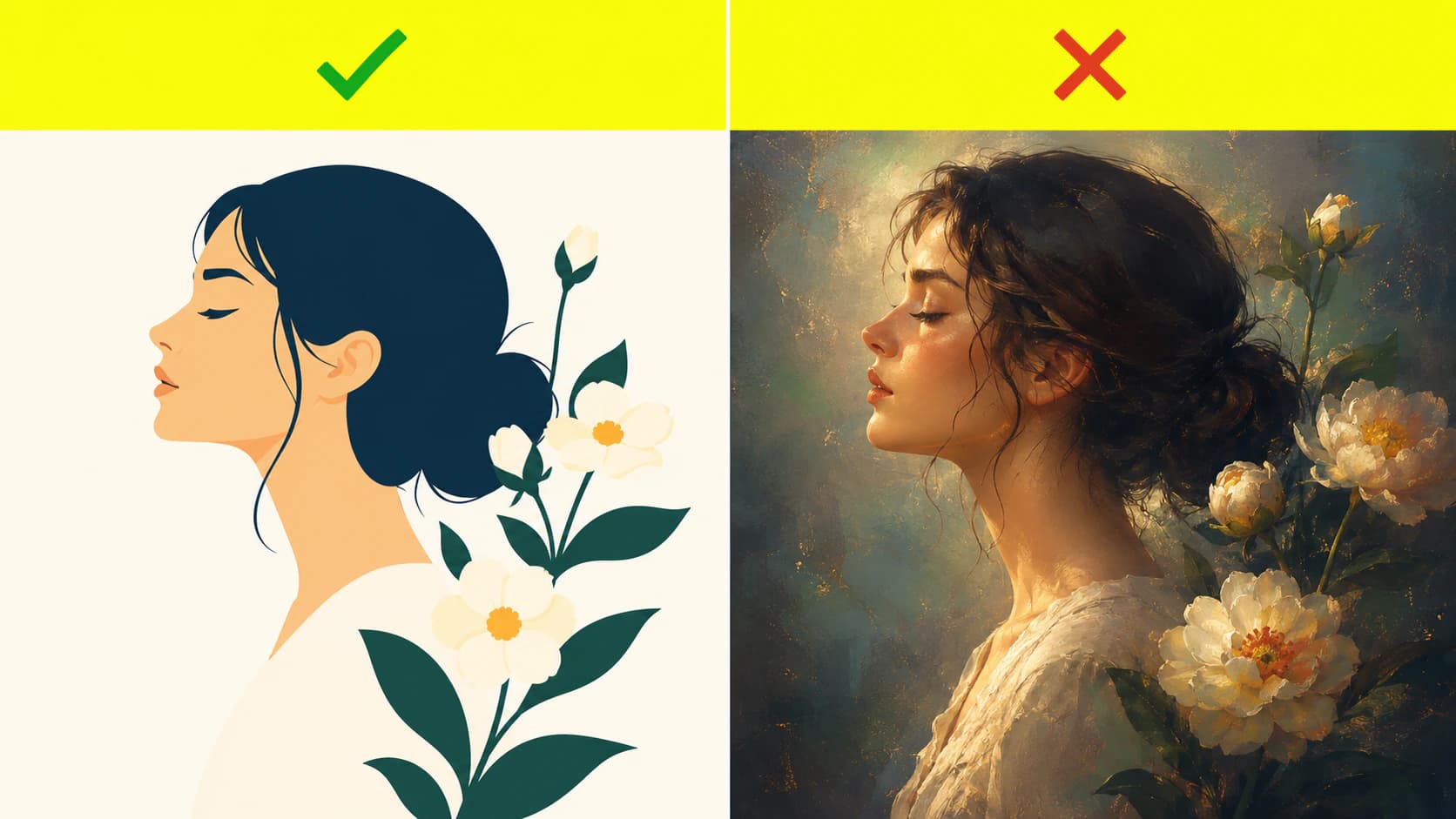
Here's the part the converter tutorials gloss over. Tracing turns areas of solid color into shapes. It works beautifully when the image is already made of flat, distinct colors, and badly when it isn't. Midjourney's default aesthetic, all that soft lighting, texture, and depth, is exactly the kind of image that traces into a muddy mess. The art that vectorizes well is the flatter, simpler kind you have to ask for on purpose.
| Midjourney output | Traces to a clean SVG? | Why |
|---|---|---|
| Flat "vector style" logo or icon | Yes | Solid colors, crisp edges |
| Bold 2D illustration, few colors | Yes | Distinct color areas become clean shapes |
| Sticker-style art with an outline | Usually | Bold shapes, though busy detail needs simplifying |
| Default painterly or cinematic art | No | Soft, textured, blended, with no clean edges |
| Photoreal images or portraits | No | Continuous tone won't reduce to flat paths |
| Gradient or glow-heavy art | No | Blends can't split into solid shapes |
So the fix isn't a better converter. It's generating the right kind of image in the first place.
How to prompt Midjourney for art that vectorizes
You're steering Midjourney away from its instinct for realism and toward flat, graphic shapes. A few things that help:
- Say "vector" out loud in the prompt. Words like flat vector illustration, simple bold shapes, solid colors, minimalist, logo style, 2D, and white background push it toward traceable art.
- Cut the texture with a negative prompt. Midjourney's documented
--noparameter lets you specify unwanted elements. Use it for details such as gradients, texture, shadows, noise, or blur when they work against the result you need. - Keep the color count low. Fewer colors mean cleaner shapes and a lighter SVG. Ask for a "limited color palette."
- Upscale before you download. Run Midjourney's upscale on your favorite result so the tracer has a crisp, high-resolution image to read.
None of this makes a photoreal render traceable. It just means that when you want a vector, you generate for one from the start.
How to turn a Midjourney image into a real SVG
Once you have a flat, clean image, the conversion itself is quick:
1. Download the upscaled PNG
Grab the highest-resolution version. If the design has a background you don't want, remove it first so it doesn't become part of the vector.
2. Trace it into paths
Run the PNG through a Midjourney-to-vector workflow that turns each color into its own clean path. You can also use Illustrator's Image Trace or Inkscape's Trace Bitmap; either workflow may need cleanup afterward.
3. Check the paths are clean
Open the SVG in a vector editor. You want a manageable set of smooth paths, not thousands of anchor points, which is the usual reason a converted file is slow and painful to edit. If yours is overloaded, too many nodes explains why it happens and how to avoid it.
4. Recolor, resize, and use it
Now it's a real vector. Change colors, scale it up or down, and drop it into a logo, a print file, or a cutting-machine project.
How to spot a fake SVG
This trips up a lot of people, so it's worth a check. The SVG specification allows a file to contain raster content through the <image> element. That can be a valid SVG file without making the embedded PNG or JPEG into editable vector paths.
Two quick ways to tell:
- Open it in a text editor. A real SVG is full of vector shapes like
<path>,<rect>,<circle>, and<polygon>. A fake one is a single<image>tag with a longbase64blob, which is the PNG hiding inside. - Zoom to 800 percent in a browser. A real vector stays razor-sharp. A fake one pixelates, because it was never vector to begin with.
It's the same trap you hit if you ask a chatbot to vectorize for you, which is why ChatGPT can't really make you a clean SVG either.
What this looks like with PerfectVector
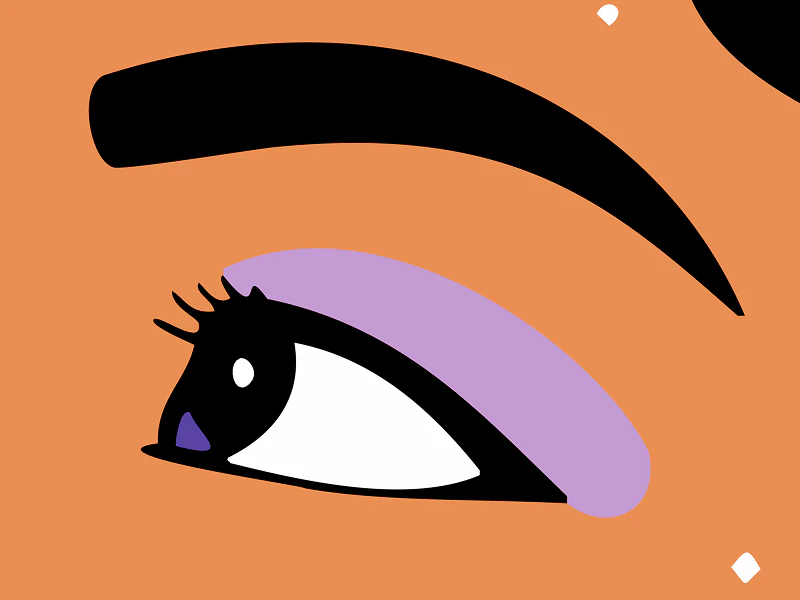
When you convert a Midjourney image with PerfectVector, you get a real vector: clean, low-node paths, each color as its own editable shape, and a transparent background, ready to open in Illustrator, Figma, or Inkscape. It traces the pixels into actual paths, so it's not one of those PNG-in-an-SVG fakes. Converting and previewing are free, so you can convert a Midjourney image and inspect the paths before you commit; you only spend a credit when you download the finished file.
Being honest about the limits: this works on the flat, graphic Midjourney art we've been talking about. A painterly render or a photoreal portrait won't become a clean vector from PerfectVector or any other tool. For those, either re-prompt for a flatter design or keep the image as a raster and use it where a PNG is fine.
What you can do with the vector
Once your Midjourney art is a clean SVG, it's ready for the jobs a raster couldn't do:
- Logos. A vector logo scales to any size and stays editable. If that's your goal, vectorize the logo and keep a master file.
- Print and merch. Screen-printing guidance shows why flat spot-color artwork benefits from clean separations and vectorized film positives, while other print methods may accept high-resolution raster files. Confirm the printer's specification for the job.
- Cutting machines. A clean, layered SVG cuts on a Cricut or Silhouette. Here's how to turn AI art into a cut file.
FAQ
Can Midjourney generate vector files? No. Midjourney's current documentation describes raster image workflows and doesn't list vector or SVG output. To get a vector, take the Midjourney image and trace or redraw it as paths with a separate tool.
Does a paid Midjourney plan let you export SVG? No, not in the current plan comparison. Paid tiers change generation limits, GPU modes, and concurrency, but SVG export isn't listed. Check the current plan page before relying on this, because product features can change.
Which AI tools can actually make an SVG? A few tools generate vector art natively, but most, including Midjourney, output raster. Even chatbots that write SVG code, like Gemini, won't cleanly trace your uploaded image. For a Midjourney image specifically, the reliable path is to generate the raster and then vectorize it. Here's the honest rundown on whether Gemini can vectorize an image.
How do I convert a Midjourney image to SVG for free? Download the upscaled PNG and run it through an image-to-vector tool, or trace it in the free editor Inkscape. Either way, check the result: open it to confirm it has real paths, and zoom in to make sure it stays sharp instead of pixelating like a PNG wrapped in an .svg.
Why does my converted Midjourney SVG look messy? Almost always because the source art was too detailed or painterly for tracing. Re-generate with a flat, bold, few-color prompt, or simplify the image first. A messy trace full of stray points is a sign the input fought the tracer, not that vectors don't work.
Can I sell SVGs made from Midjourney art? That depends on Midjourney's current commercial-use terms, your plan and business size where applicable, and any third-party rights in the image. Converting it to SVG is only a format change; it doesn't grant rights you didn't already have.
Sources
- Midjourney — Comparing Midjourney plans — current plan limits, GPU modes, concurrency, and feature comparison.
- Midjourney — Editor — current editing and transparent PNG download workflow.
- Midjourney — No parameter — official negative-prompt syntax and behavior.
- Midjourney — Using images and videos commercially — current commercial-use conditions and plan-related exceptions.
- Adobe Illustrator — Vectorize images using Image Trace — the official raster-to-vector tracing workflow.
- W3C — SVG 2 embedded content — how raster images can be embedded inside an SVG without becoming paths.
- ScreenPrinting.com — How to screen print T-shirts — spot-color separation and artwork preparation for screen printing.
Got a Midjourney design you want to actually use? Convert it into a clean, editable SVG, confirm it opens as real paths, and use it only after it passes the checks for your logo, print, or cut workflow.
More from the blog
Best AI Image Vectorizers in 2026: An Honest Comparison
Compare leading AI vectorizers by editability, node count, color handling, privacy, and price—then test the right option on your own artwork and workflow.
Should You Vectorize AI Art? Check Your End Use
Most AI art doesn't need to be vectorized. You need a vector for cutting, screen printing, and big signs. For most prints, a high-res raster is fine. Here's how to tell.