Plan a Folder-to-SVG Batch in Claude Code
Plan a folder-to-SVG batch in Claude Code with PerfectVector MCP. Give each raster a unique output path and use a tested local audit to identify missing SVGs.
On this page
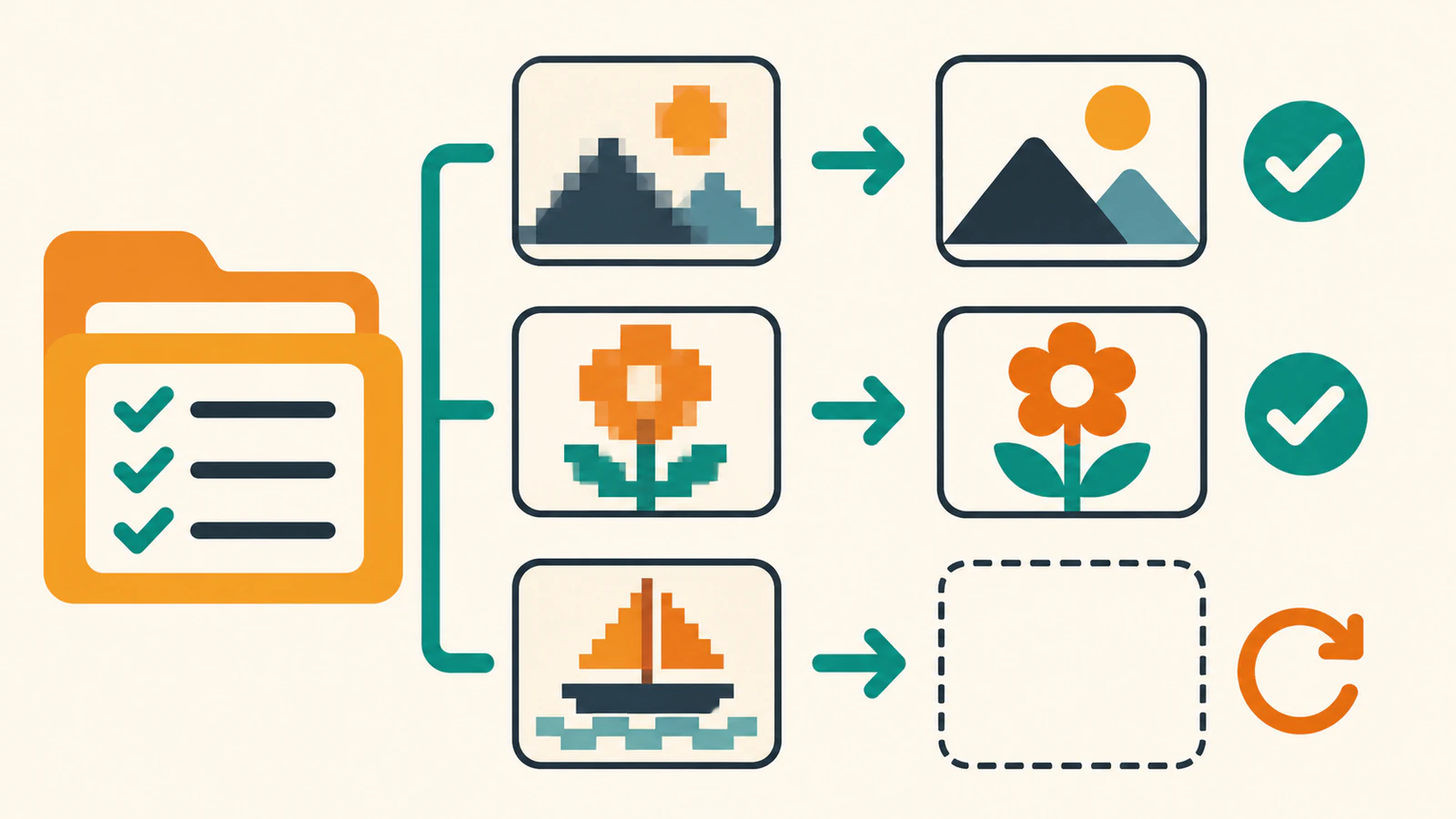
A folder of icons is easier to review when each image has one expected SVG path. Claude Code can send local images to PerfectVector MCP, and PerfectVector processes one image at a time per account. Use a manifest, a list that pairs each source with its intended output, to track which results need attention after the conversation ends. PerfectVector conversion guide · PerfectVector troubleshooting
This reference gives a documented prompt for the folder handoff and a local Python audit for the saved files. The audit checks output names and SVG structure. It does not submit conversions.
Plan unique destinations
Keep the folder layout under a separate output root and append .svg to the full filename. That keeps two mark.png files in different subfolders separate, and it gives logo.png and logo.jpg different outputs.
Source under ./rasters | Output under ./vectors |
|---|---|
east/mark.png | east/mark.png.svg |
west/mark.png | west/mark.png.svg |
labels/logo.png | labels/logo.png.svg |
labels/logo.jpg | labels/logo.jpg.svg |
Give Claude Code a bounded folder request
Configure and authenticate the remote PerfectVector server using the setup guide. Use eligible single-frame PNG, JPEG, or WebP files. Each file must be at most 5 MB and each side must be between 100 and 4,096 pixels. Claude Code MCP · PerfectVector Claude Code setup · PerfectVector image requirements
Start with a manifest-only prompt so you can catch path collisions and unexpected inputs before any conversion. Keep only the source paths you have authorized for this batch.
List the PNG, JPEG, and WebP files under ./rasters.
For each, propose one output under ./vectors with the same
relative directory and .svg appended to the full filename.
Flag paths that already exist. Show the list before converting.
Approve a small set after checking the paths. Ask Claude Code to save each delivered SVG to the listed path, keep each original, and report any missing or failed output. PerfectVector uses one credit per delivered SVG under its current rules. If a conversation stops mid-run, check the existing conversion before starting a new request for that source. PerfectVector credits and downloads
Audit the saved folder
Save this local checker as check_svg_batch.py and run python3 check_svg_batch.py ./rasters ./vectors. It audits the naming convention above and checks for common SVG shapes and image elements. An “inspect visually” result still needs a comparison with the original image. The extension and the presence of paths alone do not establish a faithful trace.
import sys
import xml.etree.ElementTree as ET
from pathlib import Path

source = Path(sys.argv[1])
output = Path(sys.argv[2])
formats = {".png", ".jpg", ".jpeg", ".webp"}
namespace = "{http://www.w3.org/2000/svg}"

for image in sorted(source.rglob("*")):
    if not image.is_file() or image.suffix.lower() not in formats:
        continue
    relative = image.relative_to(source)
    svg = output / relative.with_name(relative.name + ".svg")
    try:
        document = ET.parse(svg).getroot()
    except FileNotFoundError:
        print("missing", relative)
        continue
    except ET.ParseError:
        print("invalid XML", relative)
        continue
    has_shape = any(
        document.find(f".//{namespace}{tag}") is not None
        for tag in ("path", "rect", "circle", "ellipse", "line", "polyline", "polygon")
    )
    has_image = document.find(f".//{namespace}image") is not None
    status = (
        "inspect visually"
        if document.tag == namespace + "svg" and has_shape and not has_image
        else "inspect structure"
    )
    print(status, relative)
In a local fixture, the checker kept identically named sources in separate folders. It flagged missing outputs, malformed XML, and an SVG containing an image element. The fixture mixed an existing published PerfectVector SVG with deliberately small test files. This verifies the audit against local files.
A missing result means the expected SVG was absent. That includes planned files the assistant never attempted. Check the recorded status and ask whether the assistant has an existing result it can retrieve. Confirm which files to submit before you authorize another conversion. For malformed XML or an image element, inspect the saved file and find out what was downloaded. Re-download an existing result where appropriate. Create a new conversion only when you have confirmed the missing output cannot be recovered or the source needs a fresh trace. PerfectVector MCP troubleshooting
FAQ
Does the connector convert a whole folder in one request?
PerfectVector processes one image at a time per account. Claude Code can help work through a folder, with separate conversions and an expected SVG for each source. PerfectVector conversion guide · PerfectVector troubleshooting
What if I already have some SVG files?
Keep them in the output folder and audit them first. Check the shapes visually, then mark verified files as complete. For missing files, check existing conversions before authorizing new ones. PerfectVector credits and downloads
Sources
- Anthropic — Connect Claude Code to tools via MCP — Explains remote tool configuration.
- PerfectVector — Connect your assistant — Describes the Claude Code setup.
- PerfectVector — Convert an image — Describes the local-path handoff.
- PerfectVector — Image requirements — Lists supported raster inputs.
- PerfectVector — Credits and downloads — Explains delivery billing and retrieval.
- PerfectVector — Troubleshooting — Explains serial processing and interrupted requests.
Open PerfectVector MCP for the Claude Code connection details. Pick two images, write down their distinct SVG paths, and run the local audit against your output folder. Check that the reported paths match your plan before extending the batch.
More from the blog

Can Claude Vectorize an Image? SVG Code vs Tracing
Can Claude vectorize an image into an editable SVG? It can write SVG code, but faithful raster tracing is a different job. Learn how to check the result.

Vectorize an Image in Make With an HTTP Workflow
Send a Google Drive image to a vectorization API from Make. Map the file bytes, handle pending or failed responses, and save the SVG in another folder.