Can Claude Vectorize an Image? SVG Code vs Tracing
Can Claude vectorize an image into an editable SVG? It can write SVG code, but faithful raster tracing is a different job. Learn how to check the result.
On this page
- Three requests that sound alike but are different
- When Claude-written SVG is a good fit
- Why SVG code is not proof of faithful vectorization
- Does it match the source?
- Does it contain real vector geometry?
- Is it practical to edit?
- A dependable Claude-to-SVG workflow
- When the source image has to survive the conversion
- A five-minute SVG audit
- FAQ
- Sources
Claude can create an SVG artifact, but that does not mean it has faithfully vectorized an image you uploaded. Anthropic lists SVG images among the content Claude can make as artifacts, with code viewing and file download built into the workflow. Its upload documentation also says Claude can analyze JPEG, PNG, GIF, and WebP images. Neither page describes image analysis as a dedicated raster-to-vector tracing feature. (Anthropic's Artifacts guide; file-upload guide)
The practical answer depends on what you want. Claude is useful when you want a new icon, diagram, or simple illustration expressed as SVG code. If you already have a logo, drawing, or piece of artwork that must stay recognizably the same, use a vectorizer and compare the paths with the source.
The quick answer
- Claude can author real SVG code for a new graphic.
- Claude can inspect an uploaded raster image and discuss it.
- Those two abilities do not document a faithful tracing workflow.
- A valid
.svgcan still be inaccurate, awkward to edit, or contain raster pixels. - Start with the source image when fidelity matters, then compare Claude and a dedicated image-to-SVG workflow.
Three requests that sound alike but are different
People use "vectorize" for several jobs. Separating them avoids most of the confusion.
| Your request | Best description | What to verify |
|---|---|---|
| "Make a simple SVG icon of a lighthouse" | Author new SVG geometry | Does the code render, scale, and edit cleanly? |
| "Look at this logo and write SVG code like it" | Reconstruct by interpretation | Does every important curve, color, and proportion match? |
| "Convert this exact PNG into editable paths" | Trace a raster source | Are the paths faithful, clean, and free of embedded pixels? |
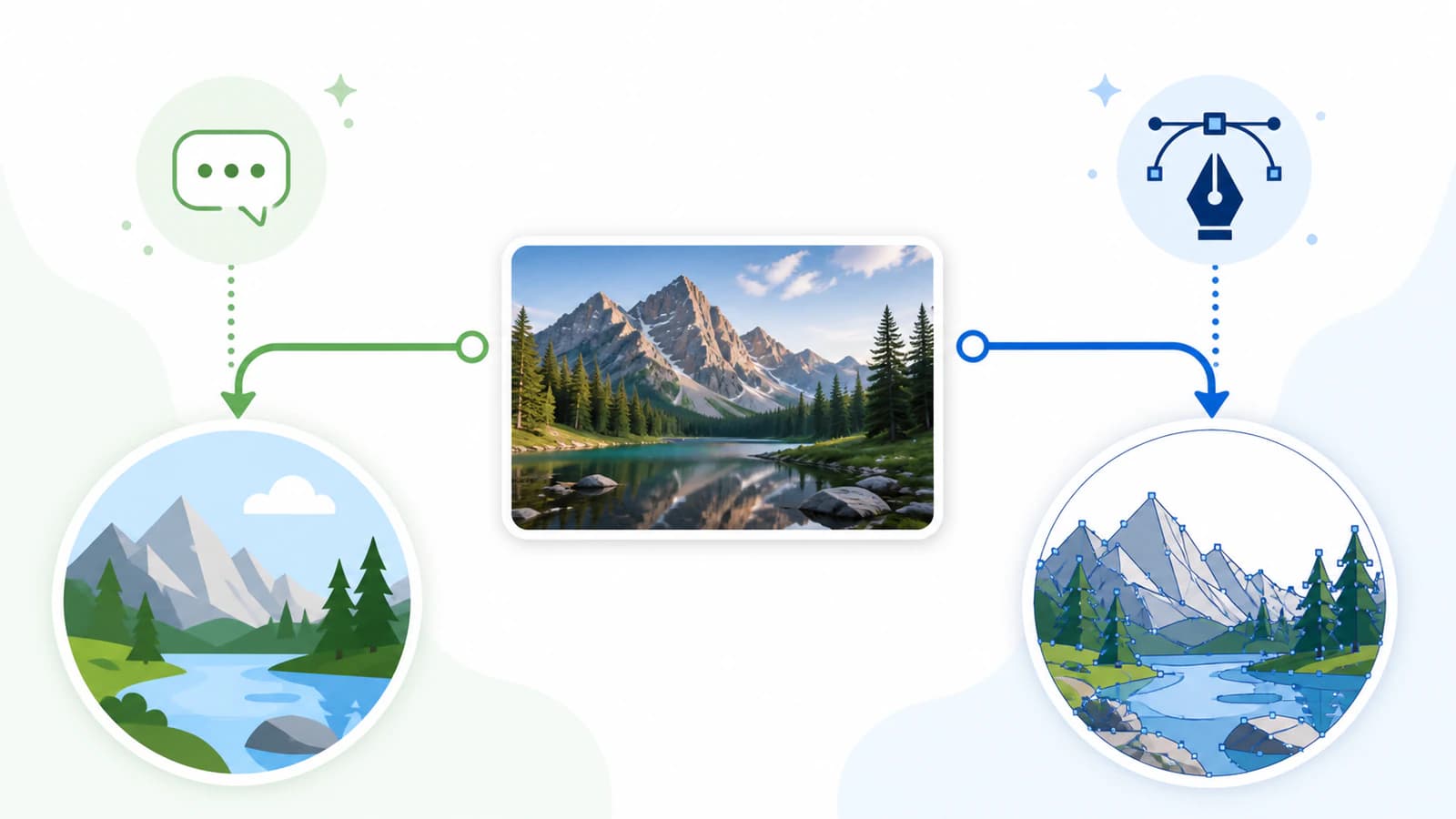
Claude is on firm ground in the first row. Anthropic's current Artifacts guide explicitly includes SVG images and lets you view their underlying code. The second row can work for simple artwork, but the output is an interpretation. The third row asks for a conversion system that measures the image and rebuilds its boundaries as geometry.
When Claude-written SVG is a good fit
SVG is text. A language model can write elements such as circles, rectangles, lines, and paths, then package them as a file. That makes Claude useful for graphics whose construction can be stated clearly:
- a geometric icon built from a few shapes;
- a simple diagram or flowchart;
- a badge, chart, or decorative pattern;
- an early visual concept that you plan to revise.
Ask for a restrained color palette, a defined viewBox, and named groups if structure matters. Then open the result in a browser and a vector editor. A browser tells you whether it renders. An editor tells you whether the objects are practical to select and change.
This is generation, not reconstruction. Claude does not need an existing picture to invent a clean lighthouse icon from rectangles and paths. It only needs a description of the desired result.
Why SVG code is not proof of faithful vectorization
A syntactically valid SVG answers one question: can software parse and render the file? Faithful vectorization asks more.
Does it match the source?
Place the source image and SVG side by side. Check the outer silhouette first, then interior negative spaces, proportions, colors, and small identifying details. A file can look plausible on its own while drifting from the logo or drawing it was meant to reproduce.
Does it contain real vector geometry?
The W3C defines SVG paths as geometry that describes an object's outline. Inspect the file in a vector editor or its markup for path and shape elements. (W3C SVG paths)
Also look for an <image> element. SVG supports embedded content, including raster images, so a PNG can sit inside an SVG wrapper without becoming editable vector paths. (W3C SVG embedded content) This is the same hidden-raster problem you can test in any SVG.
Is it practical to edit?
Select individual objects. Try recoloring one region and moving one shape. Zoom into curves and inspect the nodes. A useful result has deliberate groups, manageable paths, and no unexpected overlaps. Real paths can still be clumsy paths, so the file extension is only the start of the audit.
A dependable Claude-to-SVG workflow
If you want Claude to author a new graphic, use this sequence:
- Describe the construction. Name the subject, aspect ratio, palette, and level of detail. Simple geometry gives the model clearer constraints than "make it professional."
- Request a self-contained SVG artifact. Ask for a
viewBox, no external images, and no scripts or remote resources. - View the code and download the file. Anthropic's Artifacts guide documents both actions.
- Open it in two places. Use a browser for rendering and a vector editor for object selection, groups, paths, and colors.
- Check the destination. Import it into the software that will actually use it. A file that renders in a browser may still need cleanup for a cutter, editor, or production system.
For a simple generated icon, this may be enough. For an existing image, change the workflow at step one.
When the source image has to survive the conversion
Start with a vectorizer when the identity of the source matters. Logos, emblems, line drawings, flat illustrations, and high-contrast artwork are common examples. The vectorizer should reconstruct visible regions as paths, after which you inspect the same silhouette, negative space, color, and node checks described above.
PerfectVector's Claude image-to-SVG alternative is built around that distinction. Upload the raster you need to preserve, inspect the protected vector preview, and decide whether the reconstruction matches before unlocking the finished file. Claude can still help around the job by explaining the markup, suggesting cleanup steps, or drafting a new variation. It does not need to be the tracing engine to be useful.
If the source is a photograph, soft painting, or gradient-heavy image, do not expect a compact set of editable shapes to preserve every tone. Keep it raster when the photographic appearance matters, or accept a deliberately simplified illustration. The photo-to-SVG decision guide covers that boundary in detail.
A five-minute SVG audit
Run these checks before you send the file to a client, cutter, printer, or developer:
- Compare at the same size. Confirm proportions and important details against the source.
- Zoom in. Vector edges should remain crisp, but crispness alone does not prove fidelity.
- Select objects. The intended regions should behave as editable shapes, not one embedded bitmap.
- Inspect the markup. Check for unexpected
<image>elements, scripts, or remote references. - Count the cleanup. If ordinary edits require untangling hundreds of points or overlapping fragments, regenerate, retrace, or redraw.
- Test the destination. Reopen or import the file in the application that will use it.
That audit works whether Claude wrote the SVG, a dedicated vectorizer traced it, or a designer drew it by hand.
FAQ
Can Claude make SVG images? Yes. Anthropic lists SVG images as an Artifacts content type, and the artifact interface can expose the underlying code and provide a download. That is useful for new graphics, especially simple geometric work.
Can Claude convert a PNG to SVG? Claude can inspect a PNG and write SVG code, but Anthropic's current upload and Artifacts documentation does not describe that combination as a dedicated faithful raster-tracing feature. If the SVG must match the PNG, compare them closely or use a vectorizer designed for reconstruction.
Is SVG code from Claude a real vector? It can be. If the file contains paths and vector shapes, those objects are real geometry. Check that it does not simply embed a raster image and that the paths are editable and accurate enough for the job.
Why does a Claude SVG look different from my image? Writing code from an image description is an interpretive generation task. Curves, proportions, colors, or small details can drift. A tracing workflow begins with the source pixels and is better suited to fidelity.
Should I use Claude or a vectorizer? Use Claude to invent or code a new simple SVG. Use a vectorizer when you already have an image that must remain recognizably the same. You can use both when Claude helps plan or edit the result and the vectorizer handles reconstruction.
Sources
- Anthropic Help Center: What are artifacts and how do I use them? — Official SVG artifact, code-viewing, and download behavior.
- Anthropic Help Center: Upload files to Claude — Current supported image-upload formats and image-analysis context.
- W3C: SVG 2 Paths — Standard definition of path data and outline geometry.
- W3C: SVG 2 Embedded Content — Standard behavior for image content inside an SVG document.
Already have an image that needs to stay itself? Compare Claude's SVG-authoring role with a dedicated image-to-SVG reconstruction workflow, then inspect the paths before you use the file.
More from the blog

Can AI Image Generators Make Real Vector SVGs?
Diffusion models paint pixels, so most AI images can never be SVGs. Here's why that's baked into the technology, and the three real routes to vector output.

Can ChatGPT Vectorize an Image? What Works Instead
Can ChatGPT vectorize an image into a clean, editable SVG? Not really. Here's what it can and can't do, the fake-SVG trap, and how to get a real vector.