
Make SVG Files to Sell on Etsy: A Production Guide
On Etsy, the file is what buyers review, and messy files are what get refunded. Here's how to make a clean, layered SVG cut file that's good enough to sell.
On this page
- What "sellable" actually means
- What sells, and what you need the rights to
- How to make the SVG file
- 1. Start with clean, simple art
- 2. Make it a real vector
- 3. Separate the colors into layers
- 4. Test that it opens and cuts
- 5. Bundle the formats buyers expect
- What this looks like with PerfectVector
- A pre-listing quality checklist
- FAQ
- Sources
To make SVG files to sell on Etsy, you turn your original design into a clean, cut-ready vector file, package it in a format Etsy accepts, and list it as a digital download. The technical quality matters because buyers use the delivered file in tools such as Cricut or Silhouette. Etsy's digital-listing documentation currently allows up to five files of 20MB each but does not list .svg as a direct upload type, so SVG bundles need to be delivered in an accepted archive such as ZIP. This guide covers both the file and the platform rules.
The quick version
- On Etsy, the file is the product. Buyers review the file, not your design.
- A sellable SVG has clean closed paths, a low node count, colors on separate layers, a transparent background, and it opens cleanly in Cricut, Silhouette, and Illustrator.
- Make it: convert or design your art into a clean SVG, test it, then put the SVG and companion formats into a ZIP file Etsy accepts.
- Meet both originality and rights rules: Etsy says digital downloads must be made or designed by the seller, and sellers remain responsible for intellectual-property rights.
- Test the delivered archive before listing so the buyer gets the formats and folder structure you describe.
What "sellable" actually means
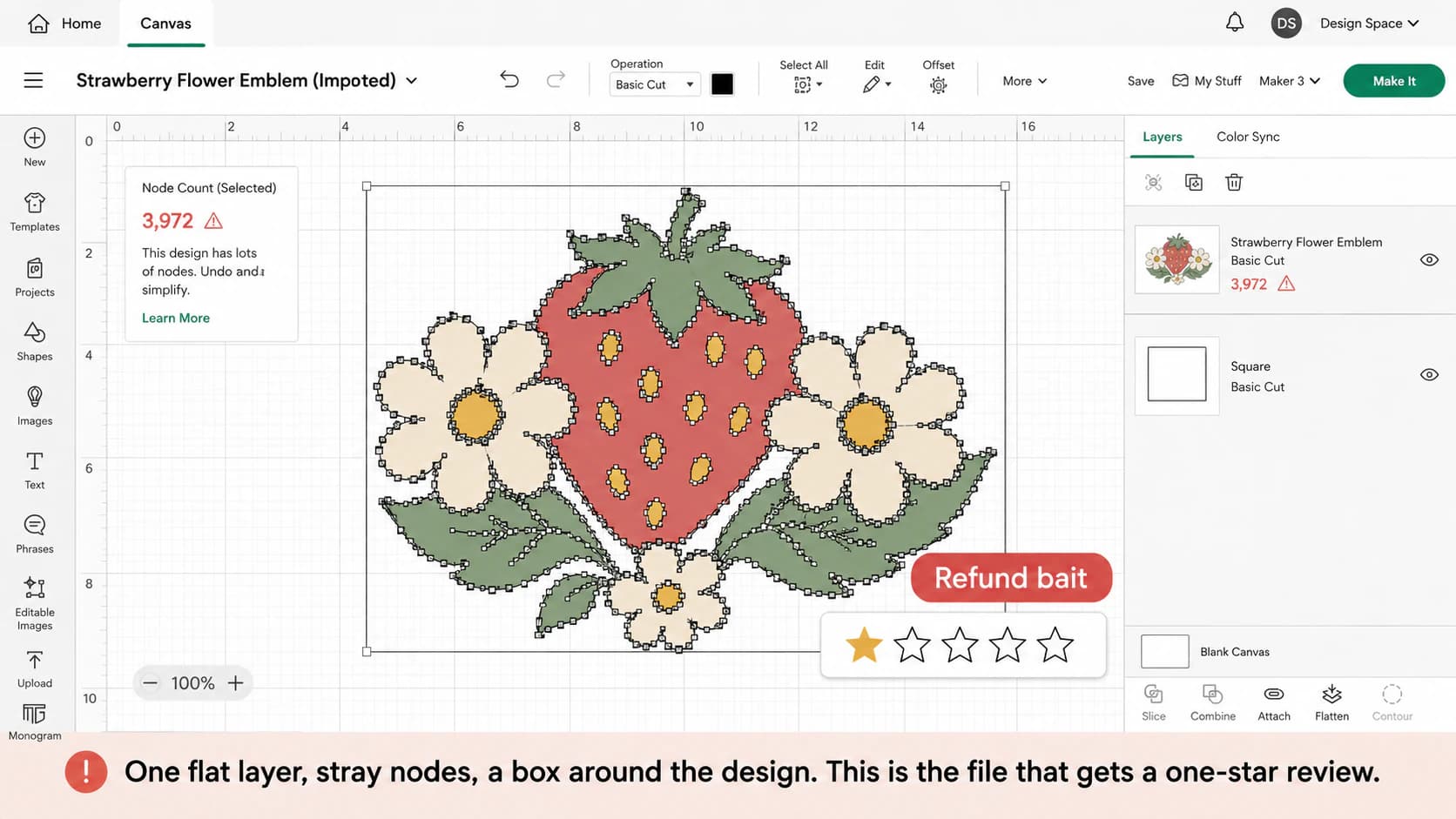
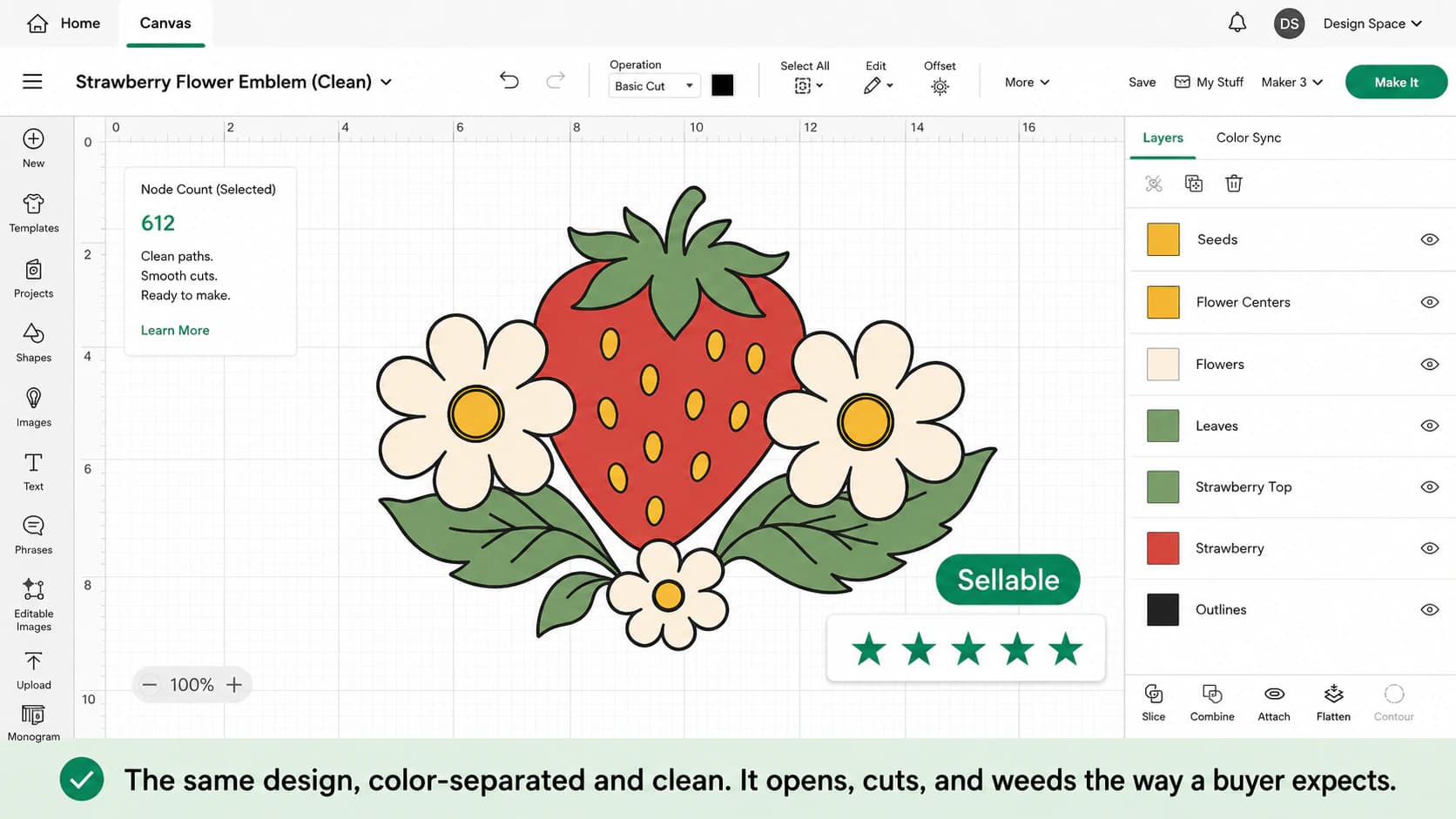
What makes an SVG file good enough to sell? A sellable SVG is one a buyer can download and use without messaging you. In practice that means clean, closed paths so it cuts smoothly; a low node count so it isn't slow or jagged; each color on its own layer so it uploads ready to cut; a transparent background with no stray box; and it opens correctly in the tools buyers actually use, which are Cricut Design Space, Silhouette Studio, and Illustrator. Get those right and the design itself can be simple. Get them wrong and even beautiful art earns refunds.
This is exactly the part many "make money on Etsy" guides skip. They walk through opening a shop and pricing, then stop at "export as SVG." But the buyer receives your packaged files, so test that exact download rather than only the source document.
Here's what's behind the complaints buyers actually leave:
| Buyer complaint | What causes it | The fix |
|---|---|---|
| "It won't open / imports wrong" | Not a real SVG: a renamed PNG, or a fake vector with an image embedded inside | A true vector made of real paths |
| "Why are there so many layers and nodes?" | An auto-trace clogged with stray anchor points | Clean, low-node paths |
| "It's not layered, it's one flat color" | The colors were merged into a single shape | Colors separated onto their own layers |
| "There's a box around the design" | The background got traced as its own shape | A transparent background |
| "It cuts jagged or doubles the lines" | A rough trace that captured both edges of every line | Clean, closed paths |
What sells, and what you need the rights to
Keep this part simple. Clean, flat designs such as wordmarks, simple illustrations, monograms, and icons tend to translate well into cut files because their paths and color layers are easy to inspect and test. Demand still depends on the niche, presentation, and buyer need; file structure alone does not make a design sell.
One honest and non-negotiable point: follow both Etsy's originality rule and intellectual-property law. Etsy's Creativity Standards say digital downloads must be made or designed by the seller and require disclosure when seller-prompted AI creations are used. A commercial license for an input does not, by itself, prove that a listing meets Etsy's "designed by a seller" standard. Etsy's Intellectual Property Policy also makes sellers responsible for their content and explains its notice-and-removal process. Avoid protected logos, characters, lyrics, or other material unless you have clear authorization; when unsure, get legal advice or leave it out.
How to make the SVG file
1. Start with clean, simple art
The design decides how clean the file can be. Flat, bold shapes with clear edges, a logo, an illustration, a wordmark, vectorize and cut well. A photo, a gradient, or a busy sketch doesn't, so it won't make a sellable cut file no matter which tool you use. Pick or draw something simple to begin with.
2. Make it a real vector
A sellable SVG has to be true vector paths, not a raster image wearing an .svg extension (here's what an SVG file really is if that distinction is new). If you draw in vector software like Illustrator, Inkscape, or Affinity, you're already there. If your design started as a PNG, a hand drawing, or AI art, convert it into a clean vector first. A good converter traces it into tidy, low-node paths; a rough one hands you the stray-node mess buyers complain about, which is the same reason auto-traced files end up with too many nodes.
3. Separate the colors into layers
Buyers expect a multi-color design to arrive with each color on its own layer, so it uploads to Design Space ready to assign and cut. The clean way is to color-separate the design into a layered SVG rather than ship one flattened shape. Fewer, cleaner layers also mean less weeding and stacking for your buyer, which is the difference between a five-star review and a refund request.
When buyers need separate color files, download aligned SVG files by exact color from a supported solid-fill master.
4. Test that it opens and cuts
This is the step that protects your reviews, because it's the exact thing your buyer is about to do. Before you list, open the SVG in Cricut Design Space and Silhouette Studio. Confirm it imports as separate layers, not one flat shape; that there's no stray box left from a background; and that the paths look smooth rather than jagged. If you own a machine, run a test cut. The general cut-ready SVG prep steps apply to a file you're selling too.
5. Bundle the formats buyers expect
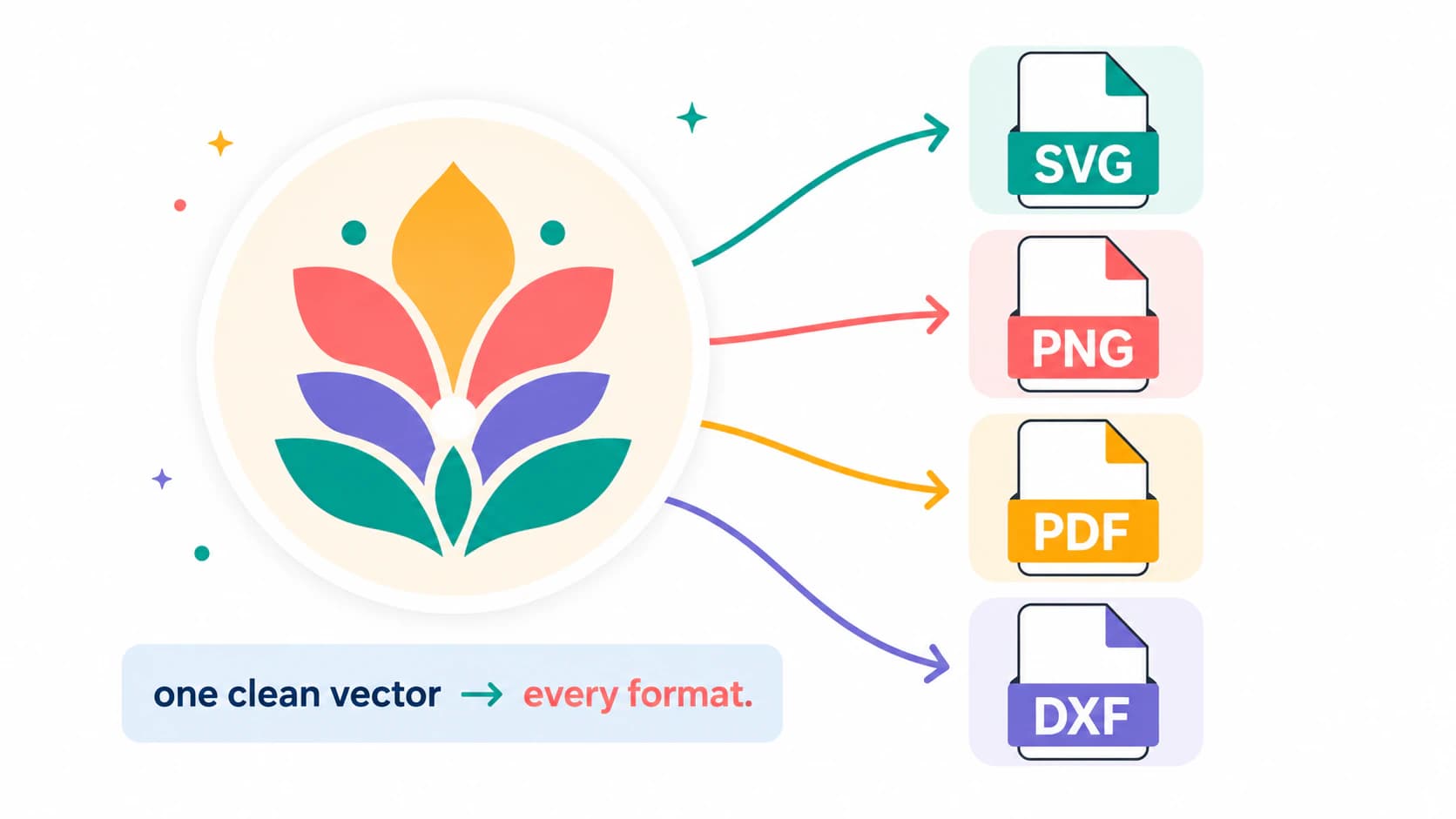
An SVG listing can include companion formats when they serve a documented buyer workflow: for example, SVG for cut paths, a transparent PNG for print workflows, PDF for printing, or DXF for software that needs it. Do not add formats just to inflate the bundle. Because Etsy's current direct-upload list omits SVG, place the SVG and any companion files inside ZIP archives, keep within the five-file and 20MB-per-file limits, and name the contents clearly.
What this looks like with PerfectVector
Most of the quality bar above comes down to one thing: starting from a clean vector. PerfectVector converts your own art, a PNG, a JPG, or a drawing, into an SVG with simple closed paths, a low node count, and a transparent background, then lets you merge colors down to the few clean layers a buyer wants. You can turn your design into a sellable cut file and check it in the editor for free, no account needed, before you ever list it. And because it exports the same design to SVG, PNG, PDF, and DXF, you can build the whole bundle from one source instead of rebuilding it format by format.
Being straight about it: this works on flat, graphic art. A photo or a gradient-heavy image won't become a clean, sellable cut file from any tool, PerfectVector included, and listing one anyway is how you collect refunds. If stickers are your product specifically, how to make a sticker SVG covers the cut-line details.
A pre-listing quality checklist
Before you publish the listing, open your file and confirm:
- It's a true vector, real paths, not an embedded image.
- The paths are clean and low-node, with smooth edges and no stray specks.
- Each color sits on its own layer.
- The background is transparent, with no stray box.
- It opens correctly in Cricut Design Space and Silhouette Studio.
- The ZIP opens correctly and includes only the formats described in the listing.
- The listing complies with Etsy's seller-design rule, and you hold the necessary rights to every element.
Worth knowing: savvy buyers now run a five-check audit on files before they cut them, and that checklist is effectively the review rubric your file will be graded by. A file that passes it sells itself in the reviews.
FAQ
Can I sell SVG files on Etsy?
Yes, as a seller-designed digital download that complies with Etsy's policies. Since Etsy's current direct-upload types do not include .svg, package the SVG in a ZIP file. You are responsible for both meeting Etsy's Creativity Standards and holding the necessary intellectual-property rights.
Does Etsy support SVG files?
Etsy's current digital-listing help page does not include .svg in its direct-upload file types. Package the SVG inside an accepted archive such as ZIP; you can include useful companion formats when the listing clearly describes them. Etsy currently permits up to five digital files, with a maximum of 20MB per file.
What makes an SVG file good enough to sell? Clean closed paths, a low node count, each color on its own layer, a transparent background, and it opens correctly in Cricut Design Space, Silhouette Studio, and Illustrator. A buyer should be able to download it and cut it without messaging you. Messy files, the kind that import as one flat layer or arrive clogged with stray nodes, are what drive refunds and bad reviews.
What formats should an Etsy SVG bundle include? Most listings include SVG for Cricut and Silhouette, a transparent PNG for print-then-cut and previews, and a PDF for printing and cutting by hand. Many also add DXF for the free edition of Silhouette Studio and some laser cutters. Exporting all of them from one clean vector keeps the whole set consistent.
Can I sell SVGs I made by converting an image, or from free graphics? Converting your own original image does not change who owns it, but converting someone else's image does not give you ownership. Etsy also requires digital items to be made or designed by the seller, so a permissive or commercial-use asset license does not automatically make a minimally changed file eligible. Read both the asset license and Etsy's current Creativity Standards; when the rights or originality are unclear, do not list it.
Why do SVG files get bad reviews and refund requests? File problems can cause complaints or refund requests: for example, an invalid vector, unexpected flattened layers, a stray background box, or excessive path complexity. Those are preventable by starting from a clean vector and testing the same ZIP and files the buyer will receive. Reviews and refunds can have other causes too, so do not assume file structure is the only factor.
Sources
- Etsy — How to manage your digital listings — accepted upload types, five-file limit, and 20MB-per-file limit.
- Etsy — Creativity Standards — seller-designed digital items and AI disclosure requirements.
- Etsy — Intellectual Property Policy — seller responsibility and infringement-notice process.
- Etsy — What can I sell on Etsy? — overview of qualifying items and prohibited resale.
- Cricut — How to upload images into Design Space — SVG layer and cut-path behavior used for buyer testing.
Got a design you want to sell as a cut file? Make a clean, sellable SVG, open it in Cricut and Silhouette to confirm it behaves, then bundle the formats before you list.
More from the blog
Why Your Cricut SVG Is Hard to Weed: Fix the File
Hard weeding is usually a mix of your blade, your vinyl, and your design. Here's how to tell which, and how to make the SVG file itself far easier to weed.

Sure Cuts A Lot Image Trace: Trace or Import SVG?
Choose Sure Cuts A Lot's native Image Trace or import a prepared SVG, then check layers, scale, doubled lines, path density, and the final cut preview.