Vector Art for T-Shirts: Make a Print-Ready File
Your printer asked for vector art and all you have is a PNG. Here's why shirt printing wants vectors, where to get them, and how to turn your own design into one.
On this page
- Why shirt printing asks for vector art
- The three ways to get it
- Match the file to the print method first
- How to turn your own design into vector art
- 1. Start from your sharpest version
- 2. Convert it to vector
- 3. Merge the palette down to ink colors
- 4. Check the edges, then export what the shop asks for
- What this looks like with PerfectVector
- When vector is the wrong call
- FAQ
- Sources
Vector art for t-shirts is artwork stored as paths and shapes instead of pixels, which lets a print shop resize it, edit colors, and prepare separations without pixelation. You can get it three ways: license ready-made designs from a stock site, commission a designer, or turn artwork you already have into vector form. The right route depends on the print process, the artwork, the license, and the printer's specifications.
If "vector" is a new word entirely, what image vectorization actually means is a quick primer. Otherwise, here's the short version of everything below.
Short on time? The quick answers
- Why printers ask: screen printing uses color separations, and vector files make clean resizing and editing easier. Some shops also accept suitable high-resolution raster art.
- Need a design fast? Stock sites are legitimate, but you trade uniqueness and accept license terms.
- Already have a design? Convert it: sharp source in, AI trace, merge the palette down to your ink colors, export.
- Printing DTG or DTF? You may not need vector at all. A high-resolution PNG often does it.
Why shirt printing asks for vector art
Two production realities drive the request.
Screen printing separates colors. Each spot color generally gets its own screen, so the shop needs artwork that can be separated cleanly. Vector shapes make that editing straightforward. Custom Ink's current artwork guide says vector is preferred for screen printing but also accepts raster artwork at sufficient resolution; its production team may rebuild submitted art as needed. More colors usually mean more screens, but pricing depends on the printer and job.
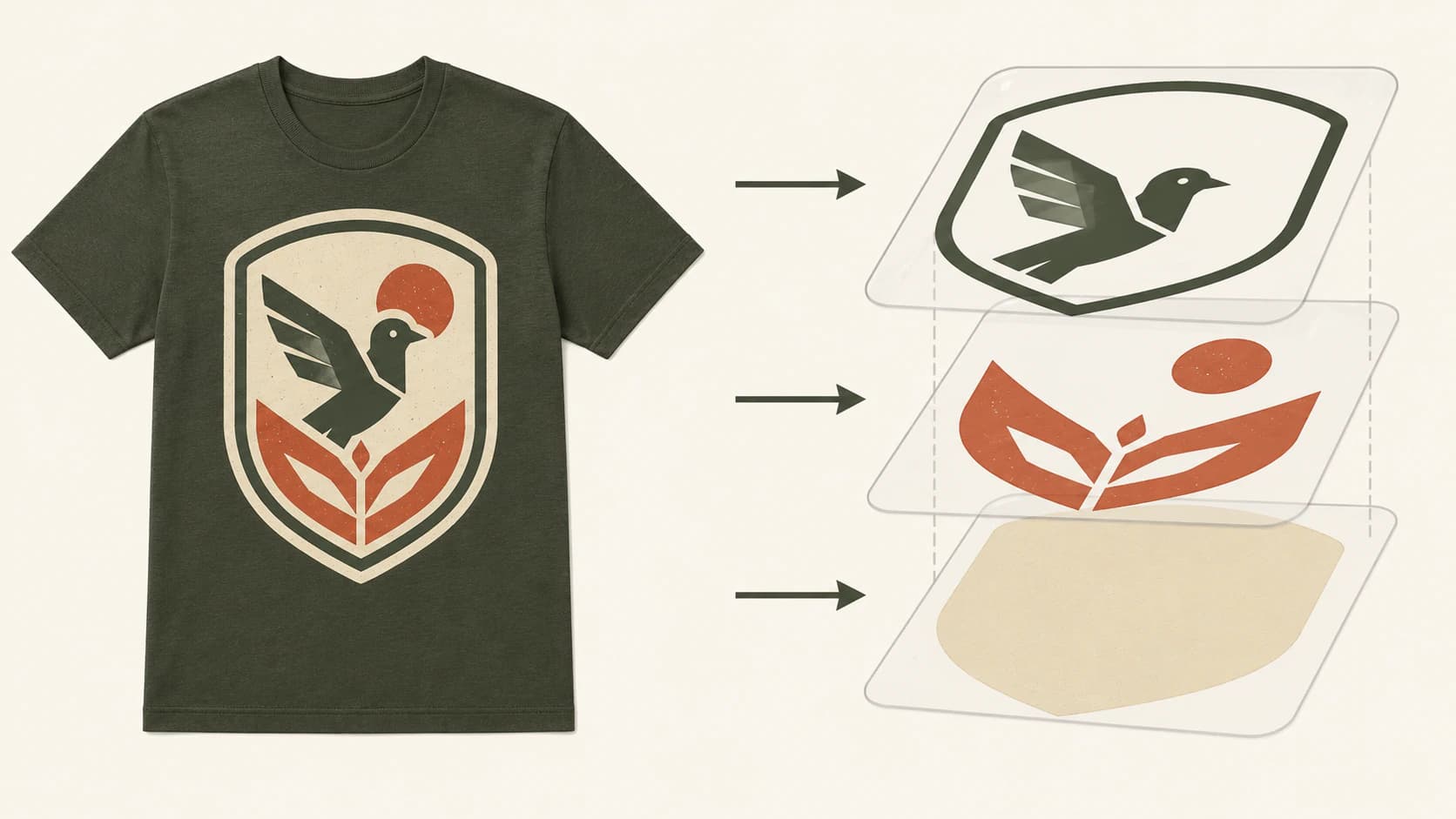
Shirts come in sizes; placements vary. The same design might run small on a chest pocket and large across a back. Vector art scales to any of those without blurring, because the paths are math, while a pixel image enlarged past its resolution goes soft. Anyone who has seen their logo come back fuzzy on a hoodie knows this one already: it's the same problem as a pixelated logo, printed in ink.
The three ways to get it
Where do you get vector art for t-shirts? Download it from a stock library, commission a designer, or convert artwork you already have. Which one is right depends on whether the design needs to be yours alone.
| Route | What it costs | What you get | Watch out for |
|---|---|---|---|
| Stock download (Adobe Stock or another library) | Varies by provider and license | Ready-made art under stated license terms | Standard licenses may restrict merchandise where the asset is the primary value |
| Commission a designer | Varies by agreement | Original art and the rights specified in the contract | Confirm deliverables, revisions, and intellectual-property terms in writing |
| Make your own from art you have | Varies by tool and cleanup | Your source artwork rebuilt as vector | The source image has to be worth converting (more below) |
The stock route can work, but read the exact license before printing products for sale. For example, the Adobe Stock license terms distinguish standard and extended licenses and restrict products where the asset itself is the primary value under a standard license. A license does not make the design exclusive, so original artwork is the safer route when distinctiveness matters.
Match the file to the print method first
Before converting anything, check how the shirt will actually be printed. The file requirements differ, and vector isn't always the answer:
| Print method | What it wants | Does it need vector? |
|---|---|---|
| Screen printing | Clean separations at the required size | Vector is preferred; some printers accept high-resolution raster art |
| Vinyl / heat transfer (HTV) | Closed cut paths for the cutter | Yes, same idea as a cut file |
| DTG (direct to garment) | Product-specific high-resolution image, often with transparency | Not necessarily; many providers accept PNG |
| DTF (transfer film) | Provider-specific print file | Not necessarily; ask the provider for format and resolution |
That third row surprises people. Printful's current print-file guidance recommends PNG for DTG and gives product-specific resolution guidance in the 150–300 DPI range. A photographic or gradient-heavy design can therefore remain raster when it meets the provider's required pixel dimensions at final size. Vector still helps with resizing and clean graphic edges, but it is not always required. (The same raster-first logic runs through sublimation, which has its own format guide.)
Where vector paths are necessary is a workflow that explicitly drives a cutter. For screen printing, vector is strongly preferred, but the shop may accept and prepare suitable raster art.
How to turn your own design into vector art
This is the route the ranking pages skip entirely, and it's the one that fits the design you actually want on the shirt: your sketch, your logo, your AI-generated artwork.
1. Start from your sharpest version
The trace can only be as good as the source. Use the biggest, cleanest export of the design you have, ideally on a transparent background so the converter doesn't trace a rectangle behind it. If the only copy is a small, fuzzy file, fix that first; there's a whole guide on protecting quality during conversion.
2. Convert it to vector
Upload it to an AI image to vector converter and let it trace; the first conversions are free, no credit card required. For logo-on-merch work, the logo vectorizer is the same engine pointed at the same problem. What you're after is specific: smooth paths with few anchor points, and flat color shapes rather than hundreds of speckled fragments.
3. Merge the palette down to ink colors
Here's where the screen-print thinking pays off. Your trace might come back with twelve near-identical reds; your screen printer wants one. Merge the palette down to the actual ink colors you intend to print, two to four for most designs, before you export. PerfectVector's color editor does this in the browser, so the file that lands in your downloads already matches the screens you'll pay for.
Use the guide to reducing an SVG palette by visual role when similar shades need to become one production color.
4. Check the edges, then export what the shop asks for
Zoom in. Edges should be smooth single lines, not stuttering or doubled, and the design shouldn't be carrying a swarm of stray anchor points (the classic over-noded trace problem). Then choose between SVG, EPS, and a print PDF from the printer's actual specification rather than the extension alone.
What this looks like with PerfectVector
PerfectVector handles the two steps that decide whether the shirt looks professional: the trace and the palette. It rebuilds your image as clean, low-node vector shapes, and the built-in color editor merges the palette down to the spot colors you'll actually print, before you download.
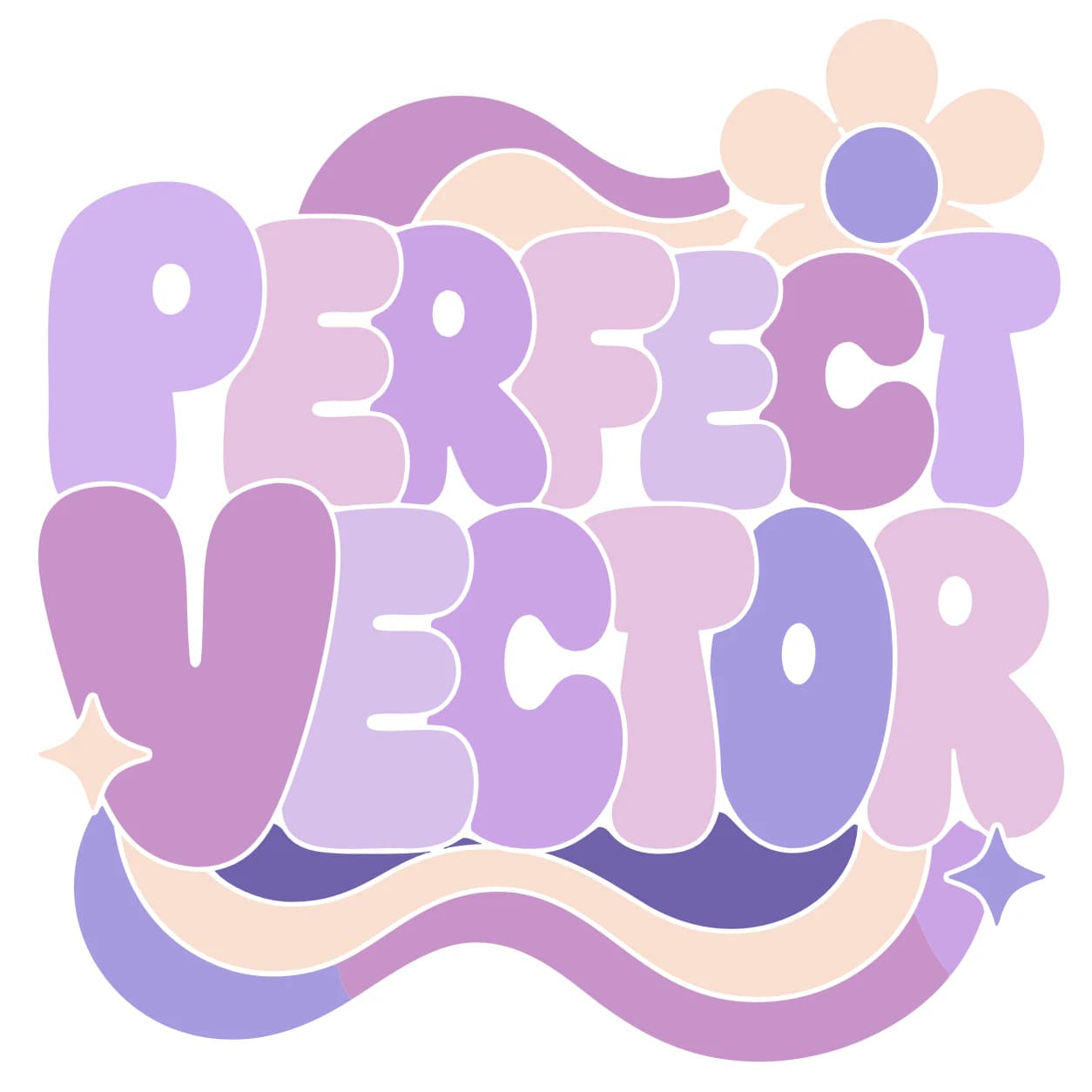
If the art started life as Midjourney or DALL·E output, the cleanup deserves its own read: vectorizing AI art for print covers the gradient-flattening step this post only waves at.
When vector is the wrong call
- Photographs. A photo on a shirt is a DTG/DTF job, full stop. Vectorizing it produces posterized blobs, not a print file.
- Gradient-heavy AI art. Either flatten it to solid colors first and then vectorize, or print it raster on DTG/DTF as-is. Tracing it unflattened gives you the worst of both.
- Designs with dozens of colors. Screen printing charges per color. If the art can't simplify to a handful of inks without dying, it belongs on a full-color method, not on screens.
- Halftone and distress textures. These live in shirt design, but they're designed effects, not something a tracer should invent. Apply them as vector textures after conversion, not before.
When the design is vector-friendly, it tends to outlive the shirt: sign shops make the identical vector ask, and the same file becomes a car decal with almost no changes.
FAQ
How do I turn my image into vector art? Upload a sharp version of the image to an AI vectorizer, let it trace the shapes, merge the resulting palette down to the few colors you intend to print, and export as SVG or whatever format your printer asks for. The whole pass takes a few minutes; quality depends mostly on how clean the source image is.
Can ChatGPT make vector art? Not reliably. ChatGPT can generate SVG code for simple icons, but it can't trace your existing design into accurate vector paths; that needs a dedicated vectorizer. The longer answer, with tests, is in whether ChatGPT can vectorize an image.
Where can I get free vector art for t-shirts, and is it safe to use? Stock libraries like Vecteezy offer large free tiers, and they're legitimate. Read the license before printing: free downloads often carry attribution or usage terms, and commercial print-on-demand use isn't always included. The bigger cost is sameness, since popular free designs appear on thousands of other shirts.
What file format do printers want for t-shirt designs? It depends on the printer and method. Screen printers often prefer editable vector files such as AI, EPS, PDF, or SVG, while some accept suitable high-resolution raster art. DTG providers commonly accept PNG, but resolution and transparency requirements are product-specific. Ask the shop for its exact file specification before exporting.
Does DTG printing need vector art? Not necessarily. DTG providers commonly accept raster files; Printful, for example, recommends PNG and gives product-specific guidance from 150 to 300 DPI. Prepare the file at final print size and follow the chosen provider's template and resolution requirements. Vector is useful for resizing but is not required by every DTG workflow.
Sources
- Custom Ink — Image resolution guide — current screen-printing, DTG, and DTF artwork guidance.
- Custom Ink — Raster vs. vector art — vendor explanation of preferred and accepted artwork types.
- Printful — Preparing print files — product-specific format and resolution recommendations.
- Printful — Creating a DTG print file — DTG artwork preparation and transparency guidance.
- Adobe Stock — License terms — merchandise and asset-resale restrictions under standard and extended licenses.
Got a design waiting on a printer's "vector only" email? Convert it to clean, printable vector art, merge the colors down to your inks, and send the shop a file they'll say yes to.
More from the blog
Convert an Image to SVG With Clean CNC Cut Paths
A CNC follows vector paths, not pixels, so your design has to become a clean SVG or DXF first. Here's how to convert an image into CAM-ready, closed-path vectors.
Convert an Image to SVG for Clean 3D Printing
A 3D printer can't extrude pixels, so flat designs start as an SVG. Here's how to turn an image into a clean, closed-path SVG that imports and extrudes the first time.